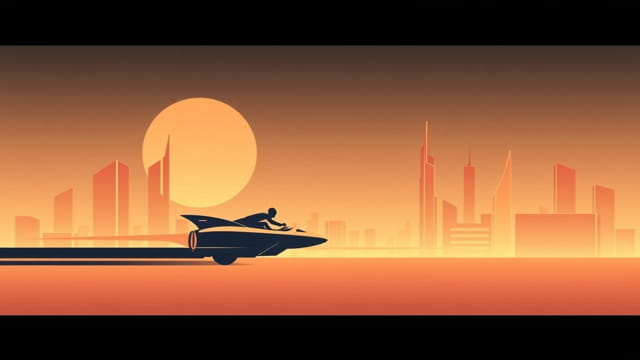
Jet Set Radio Future remains one of the most stylistic and beloved titles from the original Xbox era, known for its cell-shaded art, pulsing soundtrack, and vibrant depiction of a futuristic Tokyo-to. However, one feature that has continued to interest and occasionally frustrate fans is how the game handles widescreen support. With modern displays now predominantly using 16:9 or ultrawide aspect ratios, understanding how to enjoy Jet Set Radio Future in widescreen has become an important topic for fans revisiting the game or discovering it for the first time through emulation or original hardware. While not natively designed with widescreen in mind, there are ways to improve the experience and make the visuals fit modern screens.
Widescreen Capabilities of Jet Set Radio Future
Original Aspect Ratio
Jet Set Radio Future was originally released in 2002 for the Xbox with a native resolution targeting 480p and an aspect ratio of 4:3. Although some Xbox games from that era offered basic widescreen modes, JSRF was not designed to fully support true 16:9 output. This means that on a widescreen display, the game will either display with black bars on the sides or stretch the image, depending on your settings and hardware configuration.
Official Widescreen Support
There is no official widescreen mode built into Jet Set Radio Future. Players using the original Xbox hardware are limited to the default 4:3 resolution unless they force widescreen scaling via their TV or AV settings, which often results in image stretching. The game’s HUD and graphics were not intended for widescreen, so using unofficial methods may lead to some visual artifacts or misplaced UI elements.
Modern Options for Playing in Widescreen
Using Emulation for Widescreen Gameplay
With no native widescreen support, emulation becomes one of the most practical methods for playing Jet Set Radio Future in widescreen. Emulators like CXBX-Reloaded and Xemu offer tools and settings that can improve or modify the display to fit widescreen monitors.
- CXBX-Reloaded: This emulator has gained popularity for its compatibility with Jet Set Radio Future. It allows users to force 16:9 aspect ratios and increase internal resolution to sharpen the image.
- Xemu: A relatively newer emulator focused on accuracy. While widescreen support is not as flexible, it can still run the game well and allow for screen scaling improvements.
It’s important to note that these emulators don’t always produce perfect widescreen experiences. Some 3D models may render correctly, while HUD elements and menus might stretch or misalign. Players need to tweak their settings carefully to find the best balance between visual fidelity and UI readability.
Widescreen Hack Options
Some dedicated fans have created widescreen patches or hex edits that unlock true 16:9 gameplay. These hacks modify the game’s memory to adjust camera angles, field of view (FOV), and aspect ratio. When applied correctly in an emulator, they offer a cleaner and more authentic widescreen view of the game world.
- Widescreen patches often fix FOV so that you don’t experience distortion during gameplay.
- These mods typically don’t affect the core gameplay mechanics, but may introduce visual bugs in cutscenes or loading screens.
- Manual patching is required; these are not plug-and-play features and usually require technical knowledge to apply safely.
Pros and Cons of Playing in Widescreen
Benefits of Widescreen Display
- Immersion: Seeing more of the environment gives players a more cinematic and immersive view of Tokyo-to.
- Modern Experience: Matches the expectations of modern gamers who are used to widescreen visuals.
- Enhanced Visuals: With emulation, higher resolutions and widescreen output make the game look sharper than it did on original hardware.
Potential Drawbacks
- Stretched UI: HUD elements may appear stretched or out of place due to lack of native support.
- Glitches: Cutscenes, menus, and in-game messages might not scale correctly.
- Complex Setup: Widescreen through emulation or patches requires time, effort, and technical understanding.
Best Practices for Widescreen Setup
Optimizing the Visual Experience
If you’re determined to play Jet Set Radio Future in widescreen, here are some tips to improve your experience:
- Use Integer Scaling: This preserves the sharpness of the original visuals without adding blur.
- Adjust Field of View: Modify camera settings in supported emulators to match the new screen width.
- Configure HUD Settings: Some emulators allow partial UI adjustments to reduce distortion.
- Back Up Files: Before applying any mods or patches, always back up your files to avoid data corruption.
Playing on Original Hardware
For those using original Xbox hardware and CRT or 4:3 displays, the game remains in its intended format. However, for widescreen TVs, here are some hardware-based solutions:
- Use component cables to improve video quality output to your TV.
- Adjust the TV’s aspect ratio settings manually rather than forcing widescreen via Xbox display options.
- Avoid stretching modes on your TV, as they may make the game look awkward and reduce visual clarity.
Is It Worth Playing in Widescreen?
Whether or not you choose to experience Jet Set Radio Future in widescreen depends on your priorities. For purists who prefer the original feel, the 4:3 format might be more nostalgic and visually accurate. But for players looking to modernize their gameplay, widescreen offers a way to experience the game with a fresh perspective that aligns with today’s standards.
The widescreen experience can highlight the game’s stylish visuals in a way that complements its energetic tone. The added screen width gives players more situational awareness and makes the fast-paced skating action easier to follow. It also enhances appreciation for the game’s sprawling level design and vibrant cityscapes.
Jet Set Radio Future widescreen support isn’t available out-of-the-box, but with the help of modern emulation, patches, and tweaking, players can enjoy this cult classic on widescreen displays. Though there are trade-offs, the visual gains and enhanced immersion make the effort worthwhile for many fans. Whether you’re reliving the game or playing it for the first time, experiencing it in widescreen can breathe new life into this iconic title and help preserve its visual legacy for a new generation of players.